Social proof
Recent conversions, counters, live visitor counts, reviews and rating summaries in the style of Google or Trustpilot.
Theme
Colour
Saved on this device only, and only if you accepted preference storage.
Theme
Colour
GHL Customizer · Notifications and social proof
32 widget types and 94 templates: recent sales, reviews, live visitors, lead collectors, feedback, chat buttons, FAQs, video and more. Small toasts in a corner or widgets placed right inside your page.
Beta · Free Free during beta, every feature included.
Why it matters
A recent booking, a five-star review or a live visitor count does more than another paragraph of copy. The same widgets can then capture the lead, ask for feedback or open a chat, without another tool.
Stock GoHighLevel
With the GHL Customizer
Live preview
Pick a family, then a template, and it appears on the sample page. Forms, ratings and wheels are interactive, and nothing leaves the preview.
Loading the live preview
Classic purchases Each chip is a real template. Forms, wheels and ratings are interactive, and in the preview nothing is sent anywhere.
What you get
Recent conversions, counters, live visitor counts, reviews and rating summaries in the style of Google or Trustpilot.
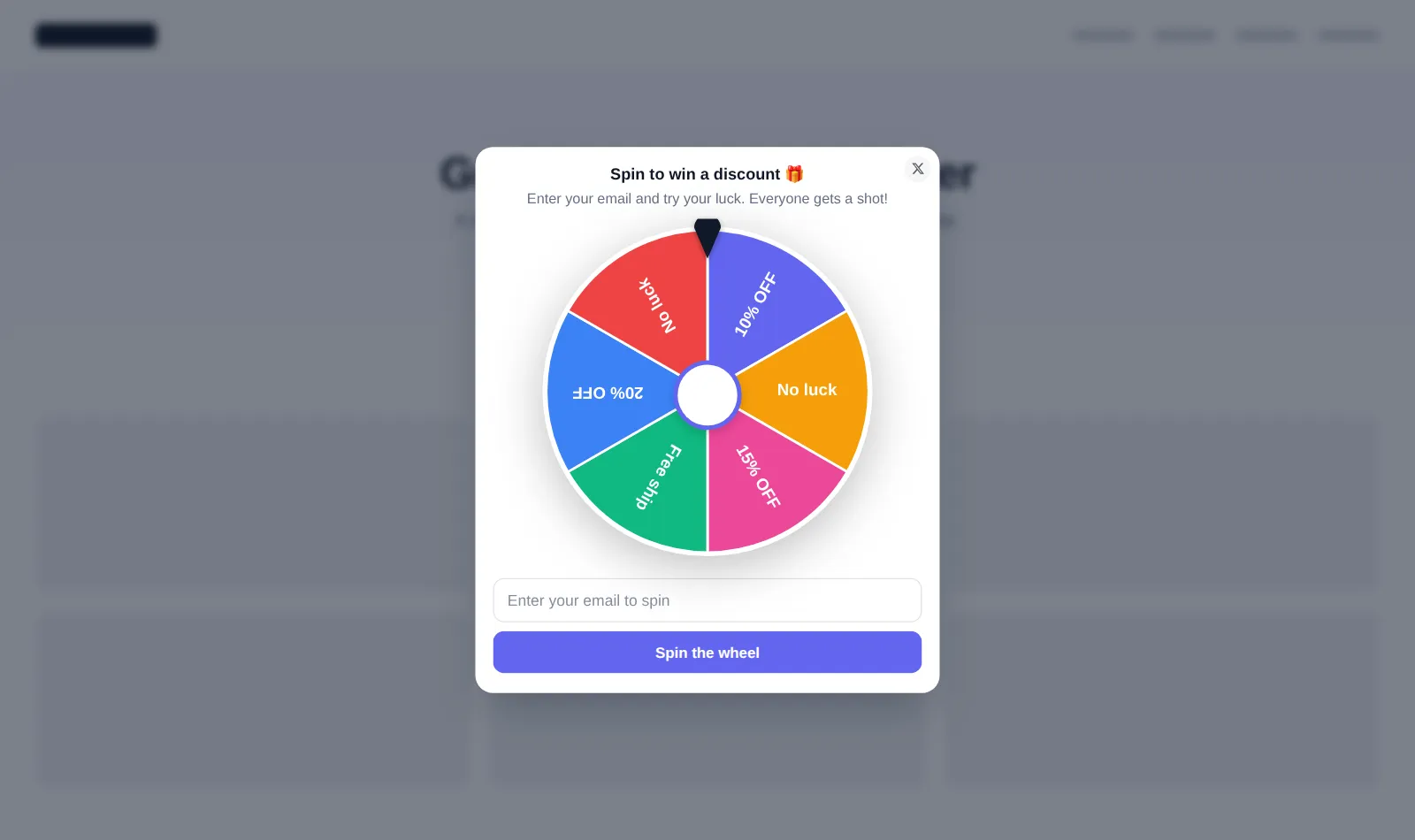
Email and request collectors, countdown waitlists, custom forms and a spin the wheel game. Responses go to your webhook or inbox.
Emoji ratings, NPS scores and a suggestion box, so clients can tell you how it is going in one tap.
WhatsApp, Telegram and Messenger buttons, a contact hub and an FAQ help centre in a widget.
Talking-head video bubbles, video cards, podcast players and image cards.
Show a widget in a corner, as a bar or modal, or place it inside a page with one line of HTML.
Screenshots
Spin the wheel lead capture
Review card social proof
NPS feedback inside GoHighLevel
WhatsApp chat widget
Live visitor counter
FAQ help centre widget
Choosing a notification template
How it works
Pick a type and a template, for GoHighLevel or for your website.
Reviews, sales, questions, links, colours and where it sits on the page.
Send responses to a webhook or email, and switch it on. Inline widgets need one line of HTML.
Questions
To your webhook, your email inbox or both, so they can land straight in GoHighLevel or any other tool.
Yes. On your site it counts real visitors, and you can set a minimum so it never looks empty on a quiet day.
Yes. Inline widgets are placed with one line of HTML wherever you want them to appear.
Yes. Many templates are made for GoHighLevel, such as team wins, onboarding help and update notices, and they are delivered by the loader you already installed.
Sign in, try notifications on your own brand and paste two lines into GoHighLevel. No card, no plans to pick.
Reading settings